
Exchange Server and Winmail.dat
Configuring Exchange Server and Office 365 correctly to avoid winmail.dat email attachments.
1 min read
Contents
Problem
By default, Microsoft Exchange (Office 365 too!) tries to send rich text emails to recipients outside your own Exchange organization (the emails are converted to TNEF format). The recipient, however, sees these as an empty email with a file “winmail.dat” attached.
Solution
In the Exchange Management Console, you can control this behavior per recipient domain under Organization Configuration > Hub Transport > Remote Domains:
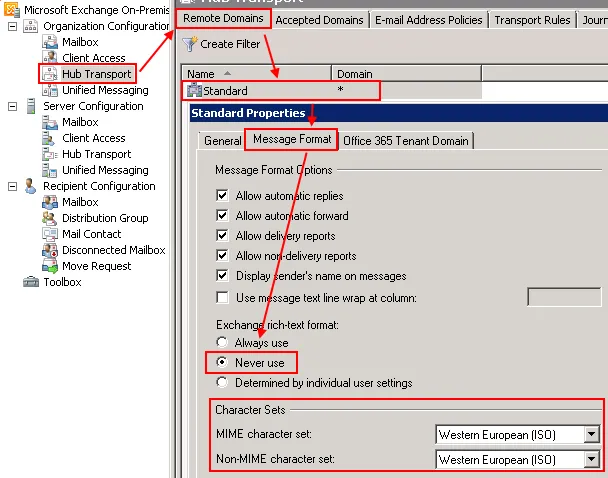
Of course, you can also change the configuration with PowerShell:
Set-RemoteDomain -Identity "*" -TNEFEnabled $false